How to hide comments on Instagram, and what happens next
Instagram has three separate mechanisms, not one button: a manual hide, Restrict on a whole account, and the Hidden Words filter. Each hides something different, from different people.

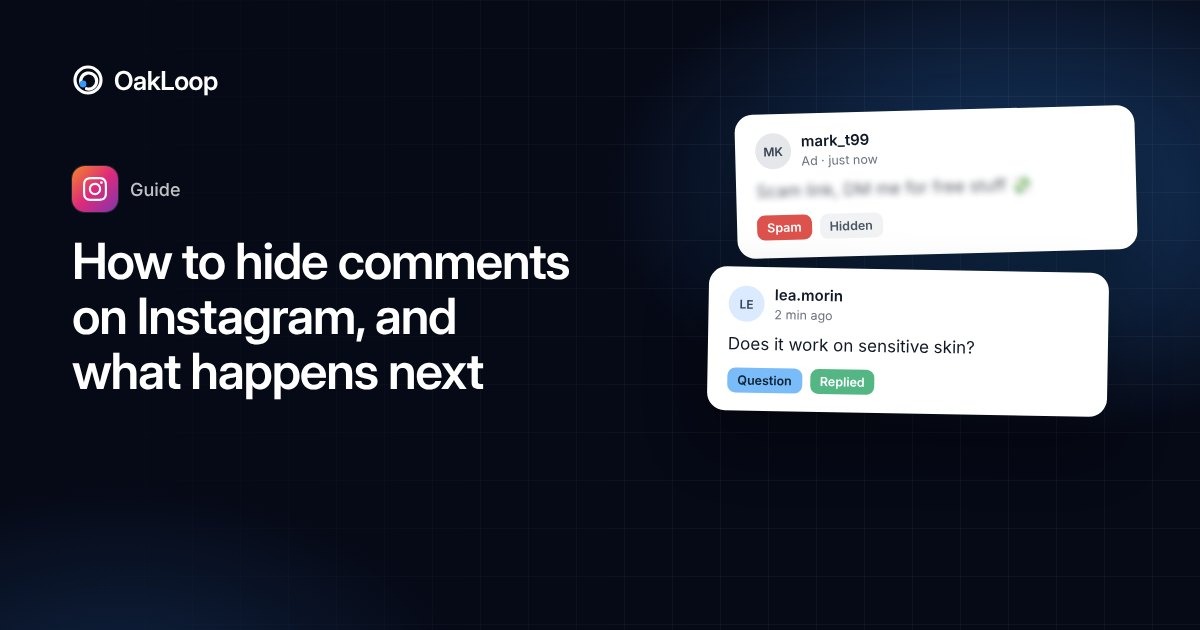
Instagram gives you three different tools, not one
Most confusion about how to hide comments on Instagram comes from assuming there is a single hide button. There are three mechanisms, they behave differently, and picking the wrong one is why people end up frustrated: a manual hide on one comment, Restrict on a whole account, and the Hidden Words filter working automatically in the background.
Choosing between them is simple once you know what each one actually hides, and from whom.
Hiding one comment
This is the per-comment action, used when a single comment is the problem and the person behind it is not.
What it does
The comment stops being visible publicly. The person who wrote it is not notified, and it still looks normal from their own account. The action is reversible, so nothing is lost if you change your mind.
When to use it
A one-off: an off-topic argument, an insult aimed at another customer, a comment that is simply noise under a post that is working. If the same account keeps producing them, you are treating a symptom and Restrict is the better tool.
Restricting an account
Restrict is the most useful of the three and the least known.
What it does
Restriction applies to a person, not to a comment. Once an account is restricted, everything it writes under your posts is hidden from everyone else automatically. Only its author can see it, which means they keep believing their comment is public. You get notified each time they comment, and you can approve a comment so it becomes visible, or simply ignore it so it stays hidden.
The person is not told they have been restricted, and they can still comment freely. From their side, nothing changed.
When to use it
The repeat commenter you do not want to block. Blocking is visible and tends to provoke a reaction, often on another account. Restricting is invisible and ends the problem permanently, which is why it is usually the right answer for a persistent troll or an ex-customer with a grievance.
One practical limit
Restricting somebody directly from a comment is a mobile action in most app versions. If you work from a computer, expect to do it from the account's profile instead.
The Hidden Words filter
This is the automatic layer, and the only one that works while you sleep.
What it covers
Instagram hides content that does not break its rules but is still offensive, such as slurs, insults and common scams. That automatic filtering is switched on by default. There is also an advanced setting, off by default, which filters more aggressively and catches more likely spam.
On top of that, you can supply your own list of words, phrases, numbers and emojis to hide. This is where a brand's specific problems go: a competitor's promo code, a scam phone number pattern, the name of an ongoing controversy.
Three details that matter
Comments hidden by the filter still count in your total comment number, so your engagement figures include things nobody can see. The person who wrote a hidden comment is not told. And comments from people you follow who also follow you are not hidden by the automatic filter, which is a sensible default and occasionally a surprise.
Why a word list is never enough
Custom filters match literally. They catch the exact string and nothing else, which is why spammers write watsapp, w.h.a.t.s.app and a dozen other variants. Every new spelling needs a new entry, and the list only ever grows. It is worth maintaining anyway, and a sensible starting point is a ready-made bad words list that you then trim to your own vocabulary.
Which one should you use
The decision takes about five seconds once framed properly.
If the problem is one comment, hide it. If the problem is one person, restrict them. If the problem is a kind of wording that keeps appearing from different people, add it to Hidden Words. And if the problem is a type of comment you can describe but not spell out as a word list, no native setting will cover it.
Hiding versus deleting versus blocking
Three more decisions, often confused with the first three.
Deleting
Permanent and not reversible. Right for anything that should not exist at all: scam links, numbers impersonating your support, harassment of another customer. Wrong as a default, because a deleted comment cannot be reviewed later if the situation escalates.
Blocking
Visible in effect. A blocked person discovers it the next time they look for your account, and a determined one creates another. Restrict usually achieves the same outcome without that reaction.
Leaving it alone
Underrated. A fair criticism answered well does more for the next reader than a tidy comment section. Hiding a legitimate complaint is cheap today and expensive the day somebody notices.
Where the native tools stop
Instagram's moderation settings are good at words and poor at meaning, which is the gap every brand with volume ends up in.
The filter cannot read intent
A comment can be hostile without containing a single filtered word, and perfectly harmless while containing one. A word list cannot tell a complaint from an insult, or a buying question from a spam message, because it never looks at what the comment means.
Hiding is not the only decision
Most comments are not a moderation problem at all. They are questions, and the cost of a question left unanswered under a post with reach is usually higher than the cost of a rude comment left visible. A system that only hides is solving the smaller half of the problem.
Volume arrives on its own schedule
A post that performs overnight produces its worst comments while nobody is watching, and a paid post keeps producing them as long as the budget runs. That is the point where manual moderation stops being a habit and starts being a job, and it is covered on Instagram automation.
Rules that read the comment, not the words
The alternative to a growing word list is a system that classifies each comment by what it is, then applies your rule: hide spam, delete scams, answer product questions, leave genuine criticism visible and flag it for a person.
Written that way, a moderation policy fits in four lines and survives the spelling games that break keyword filters. That is the principle behind AI comment moderation, and the reason it scales where a list does not.
Questions people ask about hidden comments
Three recurring ones, because the answers are not obvious from the interface.
Can people see hidden comments on Instagram?
It depends which mechanism hid them. With a manual hide or with Restrict, the author still sees their own comment and believes it is public. With the Hidden Words filter, the comment is also hidden from the public and the author is not told. In none of these cases does the general public see it, and in all of them you can still find it yourself.
Does hiding affect the post's reach?
Hidden comments still count towards your comment total, so the engagement figure you see includes comments nobody can read. That matters less for reach than for your own reporting: an account that filters heavily will look busier in its numbers than it is in its public thread.
Can I hide comments before they appear?
Partly. The automatic filter and your custom word list act before anyone sees the comment, which is as close to pre-moderation as the native settings get. Anything they do not catch appears publicly first and is hidden afterwards, which is exactly why overnight volume is where brands feel the gap.
A note on menu paths
Instagram moves these settings between app versions more often than most platforms. The behaviours described here are stable, the labels are not. If an option is not where you expect, look under the privacy and comment sections of your settings rather than assuming the feature was removed.
Frequently asked questions
How do I hide a comment on Instagram?
Use the action on the comment itself. The comment stops being visible publicly, the person who wrote it is not notified and still sees it normally from their own account, and the action is reversible.
Can people see hidden comments on Instagram?
It depends which mechanism hid them. With a manual hide or with Restrict, the author still sees their own comment and believes it is public. With the Hidden Words filter, it is hidden and the author is not told. In every case the general public does not see it, and you can still find it yourself.
What is the difference between hiding and restricting?
Hiding applies to one comment. Restricting applies to a person: everything that account writes under your posts is hidden from everyone else automatically, only its author can see it, and you are notified each time so you can approve a comment or leave it hidden. The person is not told they have been restricted.
Should I block or restrict someone?
Restrict, in most cases. Blocking is noticeable, and a determined person simply creates another account. Restricting is invisible, achieves the same outcome and does not provoke a reaction.
What is the Hidden Words filter?
An automatic filter that hides content which does not break Instagram's rules but is still offensive, such as slurs and common scams. It is on by default. There is also a stricter advanced setting, off by default, plus your own list of words, phrases, numbers and emojis to hide.
Why does my word list keep missing spam?
Because custom filters match literally. They catch the exact string and nothing else, which is why spammers write watsapp, w.h.a.t.s.app and a dozen other variants. Every new spelling needs a new entry, so the list only ever grows.
Do hidden comments still count as engagement?
Yes. Comments hidden by the filter are still included in your total comment count, so your engagement figures include comments nobody can read.