Instagram quick reply messages: 20 examples that sound human
Twenty ready-to-copy messages for DMs and comments, covering welcome, delivery, sizing, returns, complaints and buying intent, plus how to set them up natively.

What makes a quick reply message for Instagram work
A good quick reply message for Instagram does one thing: it answers, in the number of words the question deserves, and it tells the person what happens next. Most templates fail because they acknowledge without answering, which is the written equivalent of being put on hold.
Three rules cover almost everything. Answer the actual question in the first sentence. Say when a person will take over, if one will. And keep it short enough that nobody notices it was prepared.
Welcome and availability
The messages that set expectations before anything goes wrong.
- 1. First message from a new follower. Thanks for the follow. If you have a question about a product, size or delivery, ask here and we will answer. We read everything.
- 2. Outside working hours. Thanks for your message. Nobody is at the desk right now, so you will get an answer first thing tomorrow. If it is about an order, send the order number and we will have it ready.
- 3. Busy period. We are getting a lot of messages this week, so answers are taking a little longer than usual. Yours is in the queue and we are working through them in order.
Orders and delivery
The highest-volume category on almost every brand account, and the easiest to template because the answers do not vary.
- 4. Where is my order. Send us your order number and the email you used and we will check it right away.
- 5. Delivery times. Standard delivery takes [X to Y working days] once the order is dispatched, and you get a tracking link by email as soon as it leaves us.
- 6. International shipping. Yes, we ship to [country]. Delivery takes [X days] and any customs charges are paid by the recipient.
- 7. Changing or cancelling an order. We can usually change an order before it is dispatched. Send the order number now and we will check whether it has already gone.
- 8. Tracking says nothing has moved. Tracking often stays quiet for the first [X hours] after dispatch. If it has been longer than that, send us the order number and we will chase the carrier.
Product questions
The comments worth answering fastest, because they are buying signals in disguise.
- 9. How much is it. It is [price]. Here is the direct link so you do not have to search for it: [link].
- 10. What size should I take. Tell us your usual size in [reference brand or measurement] and we will tell you which one to take. The fit runs [true to size, small, large].
- 11. When is it back in stock. It is coming back [date or timeframe]. Tell us your size and we will message you the day it lands.
- 12. What is it made of. [Material or ingredients]. The full detail is on the product page here: [link].
- 13. Is there a discount code. No code running right now. Our sales are announced here first, so you will see it before anyone else.
Returns and complaints
The messages where tone matters most and where a template is most likely to make things worse. Keep these as starting points that a person edits.
- 14. Return policy. You have [X days] to return anything unworn. Here is how it works: [link]. If you tell us what went wrong we may be able to fix it without a return.
- 15. Item arrived damaged. That should not have happened and we will sort it out. Send us a photo and your order number and we will replace it.
- 16. Delivery is late. Sorry about that. Send us the order number and we will find out where it is today rather than asking you to wait longer.
- 17. Public complaint under a post. That is not the experience we want you to have. We have sent you a message so we can look at your order properly.
Commercial and partnerships
The two categories most often ignored, and the two with money attached.
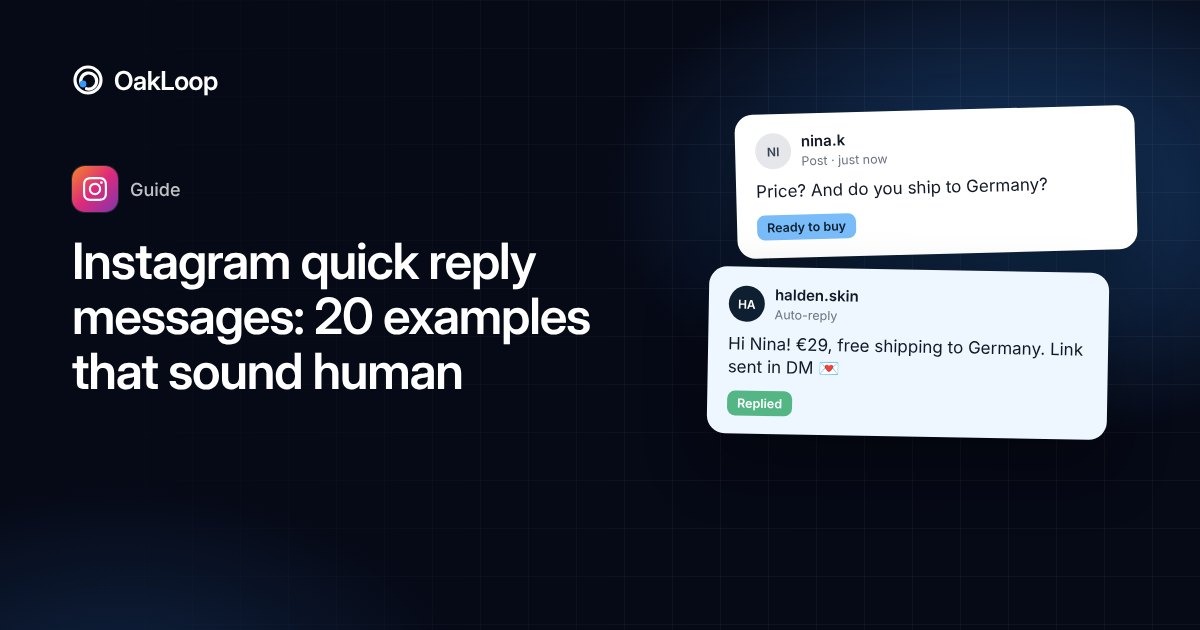
- 18. Comment showing buying intent. Just sent you the link in a message so you do not lose it in the comments.
- 19. Collaboration request. Thanks for thinking of us. Send your media kit and rates to [email] and the team will look at it properly rather than deciding in a DM.
- 20. Wholesale or press enquiry. Best place for this is [email], where it reaches the right person directly. Send what you need and roughly when you need it.
How to set these up on Instagram
Instagram has native tools for this, and most brands never switch them on.
Saved quick replies
Professional accounts can save a message and give it a shortcut, then insert it into a conversation by typing the shortcut. This is not automation: you still choose when to send it. It is the single highest return setting on this list, because it removes the retyping without removing the judgement.
Greeting and automated answers
Professional accounts can also set a greeting for first-time conversations and answers to frequently asked questions. These send without you, so keep them to things that are true regardless of who asked.
What the native tools do not do
They do not read the message. A saved reply is inserted by a person who understood the question, and an FAQ answer fires on a button the customer pressed. Nothing here decides that an incoming message is about a late delivery and answers accordingly.
From templates to something that answers on its own
Templates solve the writing. They do not solve the two problems that actually cost brands money.
Comments are not direct messages
Every setting above applies to DMs. The buying question sitting publicly under an ad is not covered by any of it, and that is usually where the money is. Moving a comment into a private conversation with the link attached is a different mechanism, covered on Instagram DM automation.
Nothing fires while you sleep
A saved reply needs a person. On an account where posts perform at night or ads run continuously, the gap between a question arriving and a human seeing it is where the sale goes. What an agent does with that gap is the subject of Instagram automation.
Where to go next
If you want to use these templates as the basis for flows that fire on their own, the ready-made versions are in the Instagram automation templates library. If you want to understand the rules around messaging people on Instagram before automating anything, start with our guide to Instagram DM. And if you are not sure your comment volume justifies any of this yet, an engagement rate calculator will tell you where you stand in about a minute.
Three mistakes to avoid when using templates
The templates are not the risk. How they are used is.
Sending the same one twice to the same person
Nothing exposes a template faster. If somebody writes again, the second message has to acknowledge the first, even in four words.
Using a template on a complaint
Complaints are the one category where a prepared message reads as indifference. Use the template as a structure and change at least one sentence so it refers to what the person actually said.
Never rereading them
Templates contain delivery times, return windows and prices. All three change, and nobody notices until a customer quotes your own message back at you. Reread the list every quarter, which takes ten minutes.
Frequently asked questions
What is a quick reply on Instagram?
A message you save once and insert into a conversation by typing a shortcut. Professional accounts have this natively. It is not automation: a person still chooses when to send it, which is why it removes the retyping without removing the judgement.
What makes a good auto reply message?
It answers the actual question in the first sentence, says when a person will take over if one will, and stays short enough that nobody notices it was prepared. Most templates fail because they acknowledge without answering, which reads like being put on hold.
Can Instagram send replies automatically?
Professional accounts can set a greeting for first-time conversations and answers to frequently asked questions, which send without you. Keep those to things that are true regardless of who asked, since nothing in the native tools reads the incoming message.
Do these templates work on comments as well as DMs?
The native settings apply to direct messages only. A buying question sitting publicly under an ad is not covered by any of them, which matters because that is often where the money is. Moving a comment into a private conversation with a link attached is a separate mechanism.
Should I use a template for a complaint?
Only as a structure. Complaints are the one category where a prepared message reads as indifference. Change at least one sentence so it refers to what the person actually said.
How often should templates be reviewed?
Every quarter, which takes about ten minutes. Templates contain delivery times, return windows and prices. All three change, and nobody notices until a customer quotes your own message back at you.
What is the most common mistake with quick replies?
Sending the same one twice to the same person. Nothing exposes a template faster. If somebody writes again, the second message has to acknowledge the first, even in four words.
How do I set up an automatic reply to an Instagram comment?
Instagram's greeting and frequently asked questions apply to DMs, not to comments. To reply to a comment automatically, you need a tool connected to your professional account that spots a keyword or an intent in the comment, replies to it and can send a private message with the link within the following seven days. That is what OakLoop's DM automation does.